 Cozy Nerd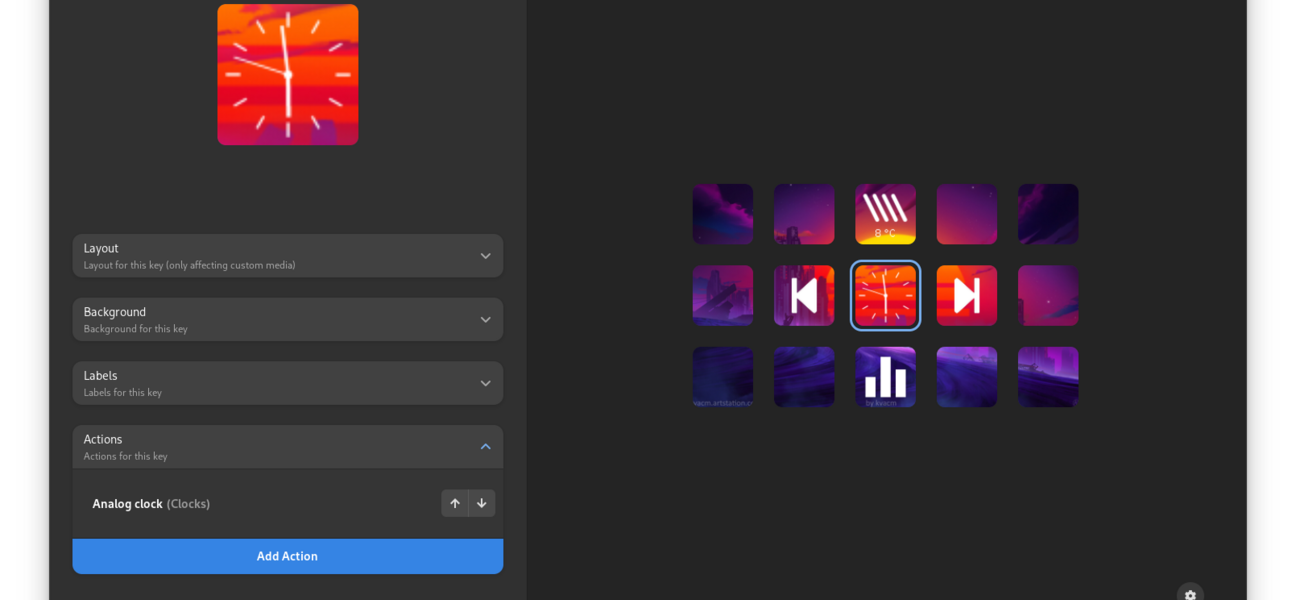
Switching to Linux often means leaving behind some beloved proprietary software. For me, the biggest "will it work?" moment was my Elgato Stream Deck. It’s the brain of my setup—managing audio, launching apps, and controlling streams.
I’m happy to report that not only does it work on Zorin OS, but the experience is also fantastic thanks to an open-source app called StreamController. However, getting there required a little bit of tinkering. Here is how I set it all up, from the flatpak installation quirks to the essential plugins that manage my audio streams.
The Installation: Software Store vs. Terminal
I started where most Zorin OS users start: the Software interface. I love the visual store; it's clean and usually seamless. I searched for "StreamController," found the Flatpak version, and clicked install.
And then... I waited.
The installation bar just sort of hung there. It seemed to be stuck in limbo, not failing but not finishing either. After a few minutes of staring at a frozen progress bar, I decided to take matters into my own hands.
If you run into this, don't panic. The terminal is your friend. I opened a terminal window and ran the direct Flatpak install command:
flatpak install com.core447.StreamControllerThis worked instantly. It downloaded the necessary runtimes and installed the app without a hitch. If the Software store hangs on you, drop to the terminal—it’s often more reliable for these specific Flatpaks.
The "No Device Found" Panic & The Udev Solution
I launched StreamController, plugged in my Stream Deck, and... nothing. The app stared back at me, blank. It couldn't see the device.
This is a classic Linux permission issue. By default, Linux doesn't give regular applications direct access to USB devices like the Stream Deck. You need to tell the system, "Hey, it's okay for this software to talk to this hardware."
The solution is adding udev rules. Here are the exact steps I took to make it work:
- Open your terminal.
-
Download the StreamController udev rules file. I used the
wgetcommand provided by the developers to download the necessary rules directly into the correct system folder:sudo wget [https://raw.githubusercontent.com/StreamController/StreamController/main/udev.rules](https://raw.githubusercontent.com/StreamController/StreamController/main/udev.rules) -O /etc/udev/rules.d/60-streamdeck.rulesThis command downloads the necessary rules and places them in the
/etc/udev/rules.d/directory. -
Reload the udev rules. This tells the system to recognize the new configuration:
sudo udevadm control --reload-rules -
Reboot your system. For the changes to take full effect, I gave the system a quick restart:
reboot
After the computer restarted and I launched the StreamController software, my Stream Deck was detected immediately.
My Essential Plugins: Mastering Audio
Now for the fun part: customizing the buttons. My main goal was managing my audio streams without alt-tabbing out of games or OBS. I relied on three specific plugins to get my audio routing under control:
1. Audio Control
This is my daily driver for basic inputs. I set up a simple toggle button to mute my microphone globally. It’s a lifesaver for sneezing fits or quick side conversations. The visual feedback is great—the icon turns red when I'm muted, so I never have that "talking to myself" moment on stream.
2. Audio Switcher
This plugin is crucial for my multi-output setup. I use it to toggle my main audio output between my Headphones and my Speakers. Instead of digging through Zorin's sound settings, I just press one button on the deck, and the sound moves instantly.
The Fun Stuff: Spotify, Twitch, and Custom Scripts!
Once the utilities were set up, I added the "quality of life" plugins:
- Custom Scripts: This is incredible. By creating my own scripts, and then using the OS plugin to then assign a command to run the script, I can effectively create any kind of button I want to manage and do things on my PC that I want!
- Spotify: Standard but essential. Play, pause, skip, and a "Like" button right on the deck.
- Twitch Integration: I set up chat commands, ad-break triggers, and a viewer count display so I can monitor the stream health at a glance.
Conclusion
Running a Stream Deck on Linux used to be a headache, but StreamController has made it a genuine pleasure. While the Zorin Software store had a minor hiccup, the Flatpak terminal install was smooth, and the udev rule fix is a "do it once and forget it" solution.
If you're on Linux and missing your Stream Deck, give StreamController a shot. It’s robust, plugin-friendly, and honestly feels just as powerful as the official software.


